


Description
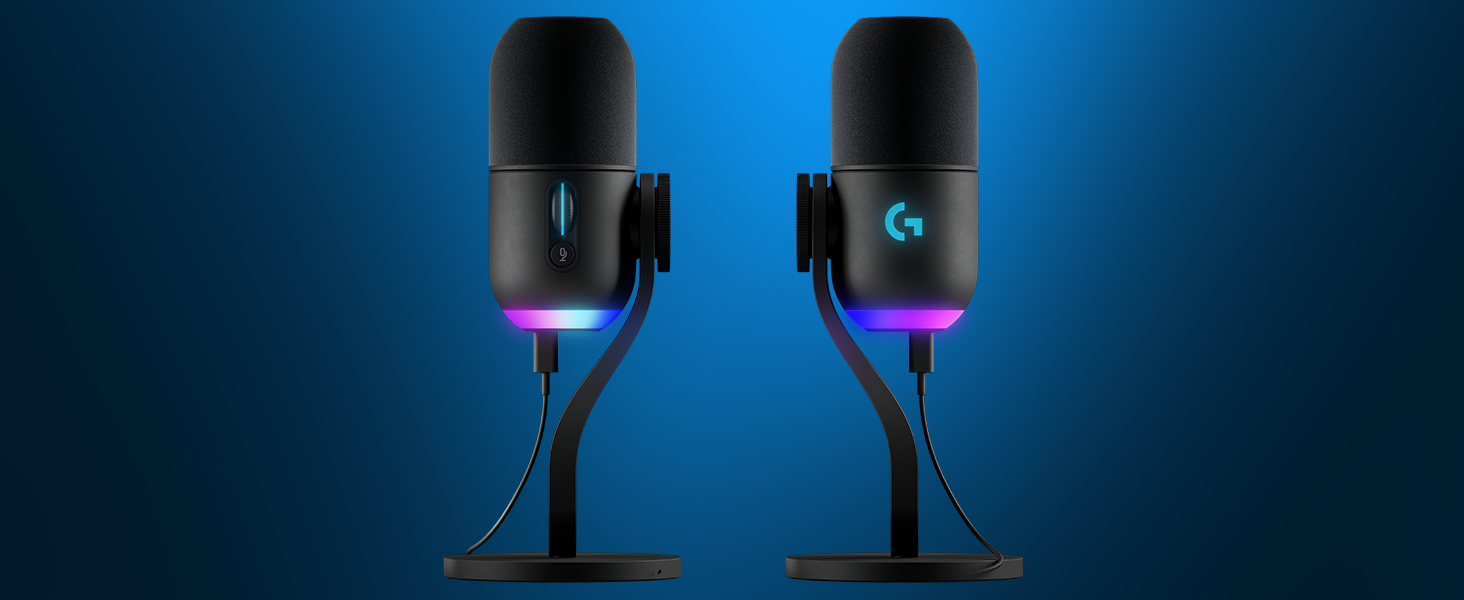
Yeti GX is a premium RGB desk microphone powered by LIGHTSYNC and designed specifically for game streamers. This microphone, featuring a custom dynamic capsule with advanced software, functions as a microphone USB to reject noise and key clicks, improve your sound and ensure consistent high-quality audio while you stream. It is suitable for those looking for a great microphone for podcasting, as it can be used as a microphone podcast device with ease. Use LIGHTSYNC to control two separate RGB light zones on the mic and sync them with other G gear in G HUB, such as a pc microphone and keyboards, for a fully immersive experience. Add fun vocal effects with Blue VO!CE software, and use Smart Audio Lock or set the gain manually with easy on-mic controls. This dynamic microphone is a valuable addition to your recording microphones & accessories, offering the versatility needed for a seamless experience. Ideal as a YouTube microphone or a computer microphone, it works well for any content creator. For those seeking a micrófono para podcast or podcast mics, the Yeti GX is a great choice for recording sessions.
From the manufacturer

A MIC AS DYNAMIC AS YOU ARE
A dynamic mic capsule features a supercardioid pickup pattern for polished, broadcast-style sound.
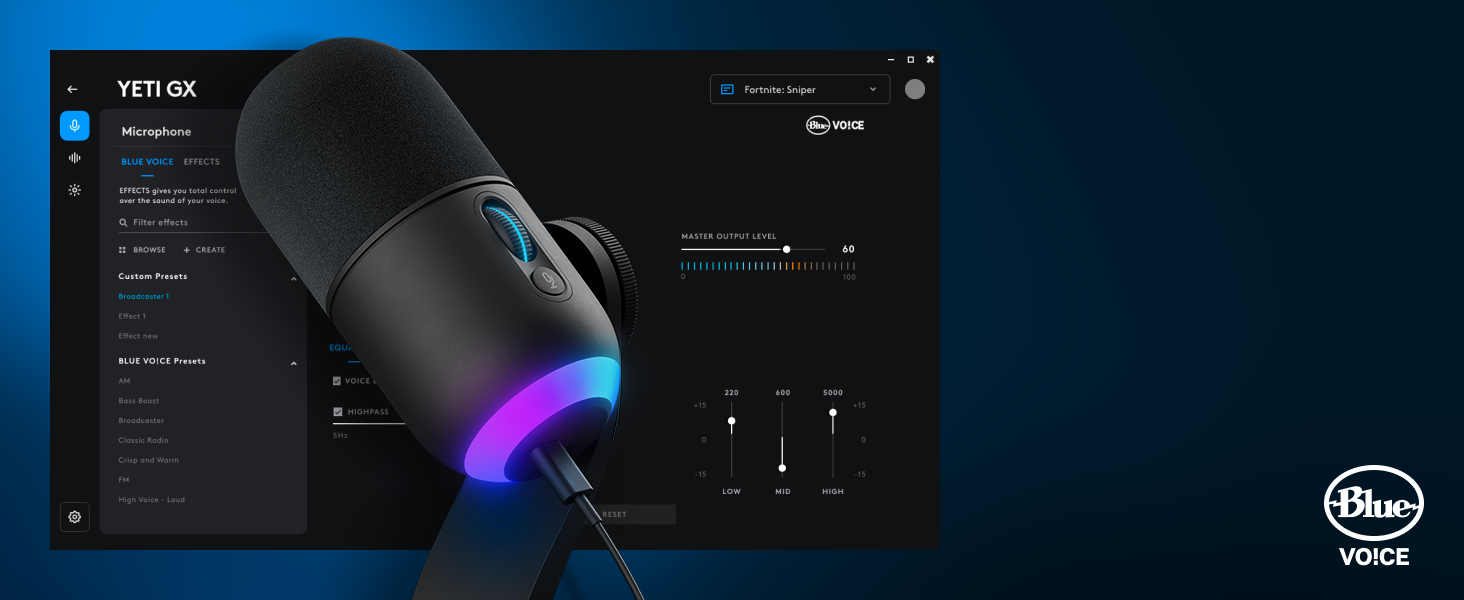
BLUE VO!CE FILTERS & EFFECTS
Blue VO!CE software protects against clipping so you can focus on finding your sound.

SMART AUDIO LOCK
Smart Audio Lock: smartly adjusts your gain by using an analog limiter to prevent clipping and a downward expander to reduce ambient background noise.
Yeti GX


Dennis –
This is a solid microphone that delivers good value for the price. The easy-to-use mute feature is a standout, and setup was essentially plug-and-play. My friends could hear me clearly with no issues, and the performance is about what you’d expect from Logitech at this price point—reliable and straightforward.
Amazon Customer –
The Logitech G Yeti GX Dynamic RGB Gaming Microphone is a game-changer for gamers, streamers, and podcasters alike. Straight out of the box, it offers exceptional sound quality thanks to its dynamic supercardioid pickup pattern, which captures crisp and clear audio while effectively eliminating background noise. The integration of Blue VO!CE technology is a standout feature, providing customizable audio effects and presets for enhanced sound without requiring additional software.The RGB lighting with LIGHTSYNC adds a visually stunning element, syncing seamlessly with your gaming setup for an immersive experience. The microphone’s USB plug-and-play functionality makes it incredibly easy to set up and start using, even for beginners. The build quality is top-notch, with a sturdy yet sleek design that looks professional and feels durable.Another highlight is the compatibility with Logitech’s G HUB software, which provides intuitive control over audio settings and lighting customization. Whether you’re streaming on Twitch, recording a podcast, or just communicating with your team in-game, the Yeti GX delivers reliable performance with minimal effort.If you’re looking for a microphone that combines professional-grade audio quality, aesthetic appeal, and ease of use, the Logitech G Yeti GX is a stellar choice.While the Logitech G Yeti GX Dynamic RGB Gaming Microphone has many excellent features, there are a few drawbacks that hold it back from perfection. The G HUB software, while powerful, can be overwhelming for new users and occasionally buggy, requiring patience to navigate.Overall, while the Yeti GX offers outstanding audio quality and aesthetics.
Martin –
Bought for our 12 year old daughter who wanted to comment on video games. Everyone dreams of being a V-Blogger. It was easy to assemble (compared to the very complex assembly this replaced). Doesn’t take up much space and sounds great. Can drown out surrounding noise. Pricey, but worth it.
jennifer beck –
I did not know how to much of a difference an actual mic can have on the audio quality. This device is sturdy and the sound qualify is great. Great value for the money!
AYi –
I purchased this to replace my quadcast as it stopped working after only couple of years. Sound quality seems comparable as I don’t notice any difference to my ears but G Hub makes it much easier to make additional adjustments. Only negative compared to my quadcast is that there is no indication when you mute the mic. In addition, mute button is not as easy to press compared to quadcast. Overall, it’s a great mic but I do wish I had an option to change the light when the mic is in mute.
Edward J. McDonald –
I recently got the Logitech Yeti GX microphone, and it’s been a game-changer for me. It’s not just good-looking on my desk, but it also sounds amazing and is super easy to use.Setting it up was a piece of cake. I just plugged it into my computer, and I was good to go. It feels really sturdy and well-made, so I know it’ll last.The best part is how clear it makes my voice sound. It cancels out background noise so well, whether I’m recording, streaming, or on a video call. Plus, it can do different sound settings for different situations.The buttons on it are simple to use. You can adjust the volume and turn it on or off easily. It even has cool colored lights on the bottom that you can change to match your style or link it to other Logitech color schemes w/ the LG Hub Software.In short, the Logitech Yeti GX microphone is a fantastic choice if you’re into creating content, streaming, or just want better sound quality for your calls. It looks great, sounds great, and is super easy to use. I’m really happy with it!
Mike F –
My use case for this is 99% home office oriented. I was tired of dealing with headsets and every USB speakerphone I tried resulted in crappy voice quality, so I took the plunge on this a week ago. It matches my other Logitech gear (keyboard, mouse, webcam), and people have commented very positively on the audio quality on their end of calls. I am really amazed at how it filters out background noise…I did a test call with music blaring three feet away and it still captured only my voiceSo now, I have my perfect home office – just the microphone plus external speakers. No more headsets, speakerphones, or earbuds. Awesome!Only downside is that G Hub isn’t working with it on my MacBook – says there’s a driver problem and Logitech hasn’t been able to help yet. It still functions fine but I can’t use the Blue Voice features. If I plug it into my Windows box, G Hub is fine.
Christian Gonzalez –
This microphone has amazing sound quality. I recorded my voiceovers, and I listen to the actual output and without any software modifications the sound was already amazing. The build quality of the Mike is great. I like how lightweight it is because it is made out of aluminum is not that heavy and is very compact in size which means that it will not take up too much space in your work area or set up, I think for the price that this microphone is at it’s well worth it. It makes it rather easy to adjust with the dial on the side of the microphone. The wind cover that’s provided with the microphone is soft feels like a quality wind cover. The Mike does have noise cancellation, which rejects any type of noise or clicks coming from the environment it’s in.
jummu –
was worried but received it perfectly
good
Jack F. –
Great addition
Works well and is amazing!